About CoachGo Training

Want to see who founded this amazing business?
Oh, and take a minute to read why we stand out!
Trust me, you will love it and thank us for paying attention to so much detail!
CoachGo Features and Focus
Our top priority is to boost your professional performance and quality of life. We offer courses on specific topics related to coaching, verbal linguistics, resilience, confidence, discipline, decision making, negotiations, personal branding, all on a practical and theoretical level.
Time saving content
The duration of each course is from 3 to 5 hours, all broken down into smaller lessons lasting from a few minutes to max a quarter of an hour.
Real world activities
Realistic is the new educational wealth. Our activities are based on real life needs asking you to apply all theory into practice.
Access to live training with Pamela (added BONUS)
Once a month, Pamela goes live to talk on topics relevant to the courses on CoachGo.
This is your opportunity to connect with her in real time and ask any questions
you have.
Organised knowledge
Once upon a time, we had emails to send out learning materials. Now you have CoachGo – all materials found on our state-of-the-art learning platform.
Global community
Our learning platform gives you the opportunity to connect with all other students – not just from the course you have registered in, but the entire community.
Learn on the go
Thanks to the platform’s new mobile app, you get full access to your content on the go. Get ready for genuine insights, more connections, and more learning.
World-class learning
Meet your instructor
Pamela is a fully qualified teacher and coach with extensive practical and specific knowledge of the fields she teaches in. She will unveil the little-known techniques to nurture your online adventure at a very affordable cost.
Here she shares a few things from her journey as an educator and a business woman.
Here she shares a few things from her journey as an educator and a business woman.
Meet our world-class team of instructors
Explore our quality courses now!
You will be more than happy that you did!
Frequently asked questions
Account information
How do I create an account?
You can go to the top right corner and click on Sign up. Once you do that, a "Create Account" card will open up. If you have already created and account, just click on Sign in.
To create your account, you may either use your social media accounts or start fresh with your personal email address. We recommend you start fresh!
To complete your account creation, you need to agree with the terms and conditions (please look at them) and decide if you want to get free resources through our newsletters and announcements.
NOTE: please make sure you remember how you signed up. If you sign up with a social media account and then you forget you have done so, then try to create another account with your second email address the system will have to delete the second account. Please contact us at dimi@coachgo.org if you think you have two accounts.
To complete your account creation, you need to agree with the terms and conditions (please look at them) and decide if you want to get free resources through our newsletters and announcements.
NOTE: please make sure you remember how you signed up. If you sign up with a social media account and then you forget you have done so, then try to create another account with your second email address the system will have to delete the second account. Please contact us at dimi@coachgo.org if you think you have two accounts.
That's it, you can browse through our course catalog!
The "Sign in" card opened up, but I want to sign up and create an account
If you accidentally clicked on "Sign in" or "Log in" and you do not have an account yet, just go to the bottom of the card and click on Create account.
Once you click on Create account, the following card will open up. Follow the instructions in the first question.
What will you do with my e-mail address?
Your e-mail address is your key to your school. It is fully safe with us and we will use it only to communicate with you, if necessary.
What do I do if I forget my password?
If you click on Sign in, the "Log in" card will open up, go down to the bottom of the card and click on "Forgot your password?". Follow the instructions you are given from then on to reset your password.
I have created an account with my Facebook account but I cannot log in with that email.
If you've used a social account (Facebook, Twitter, Linkedin) to register to the school, then all you need to do is click on the respective button in the Login form.
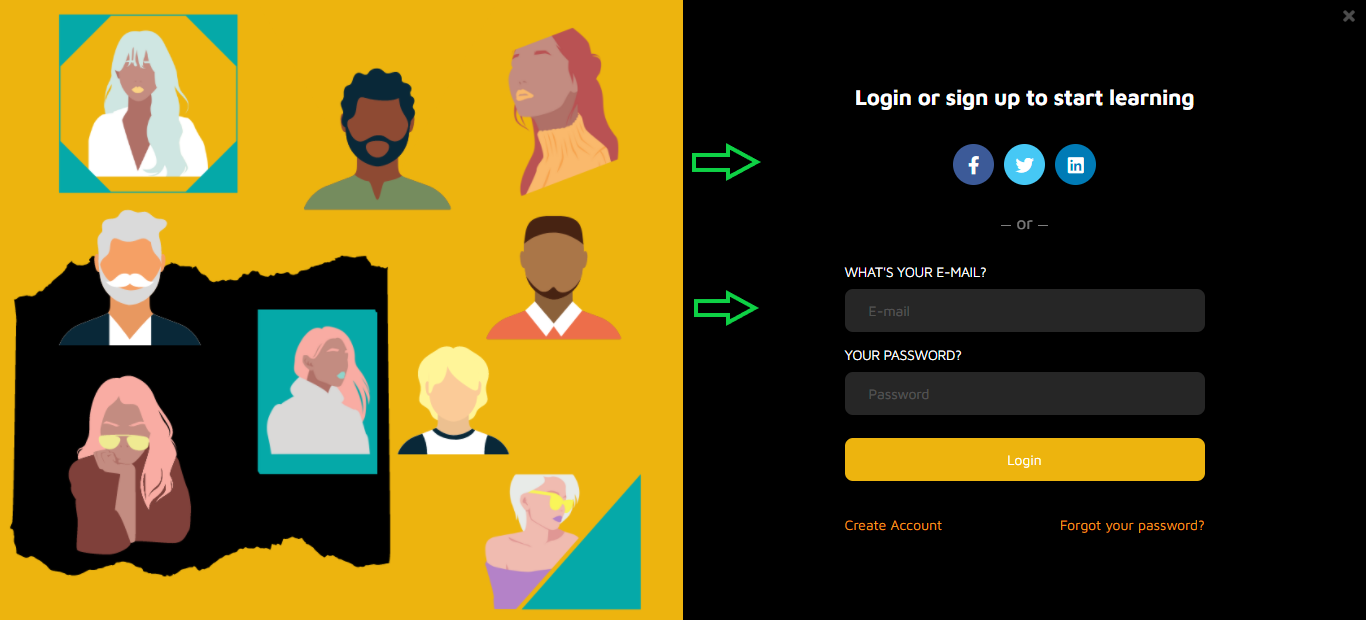
If you've used your email to register for the school then simply fill out your e-mail and password in the login form and click Login.
That's it, you can browse through our course catalog!
How can I Edit / Insert my account details (Profile Picture, Biography, Locations etc)
When logged in to your school, click on the top bar Profile suboption after hovering your mouse over the Me top bar option. This will lead you to your profile page.
There, click on the edit button and start changing your personal info. You can update your name and email, add a short bio so other members of the community can learn more about you and add your social accounts so that others can contact you.
How can I change my password?
Changing the password can be done from the online school's log in form (you have to be logged out). Go to the login form and click on the "Forgot your password?" button that can be located right under the Login button.
Insert the email of your account and click OK.
You will soon receive an email containing a link for resetting your password. If you don't receive this email after a few minutes, please check the spam folder of your email account as the reset email may have accidentally been held up by your spam filter.
Why can't I log in to my account?
First of all make sure that the combination of e-mail and password you tried is correct (for security reasons our error message doesn't explicitly reference whether you made a mistake in your email or password. This is deliberately so to make it harder for malicious individuals to guess any account details). If you are still having problems it might that have forgotten your password. In this case you can simply ask for a new one to be sent out to you. Click on the Forgot your password? link located just below the Login button.
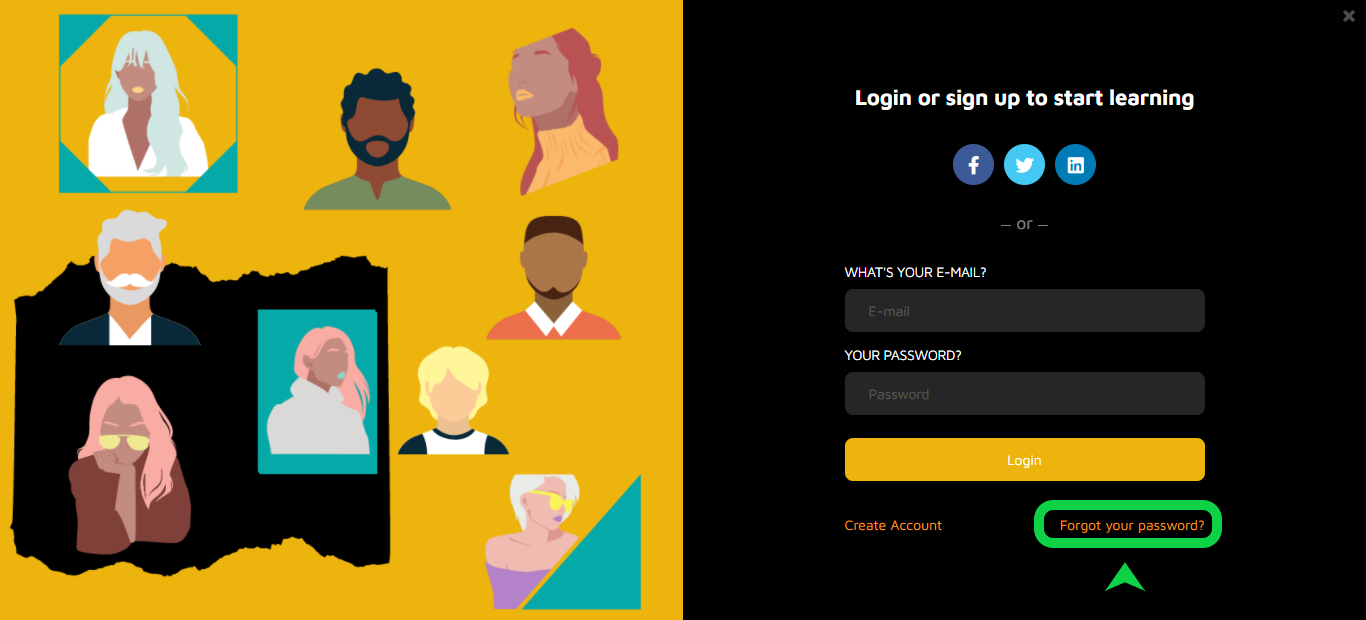
Type the email that corresponds to your account and click Send. An email will be sent to you with a link for setting a new password for your account. If you don’t see the email appearing in your Inbox, make sure to also check the spam folder as it may have been accidentally caught by your email's spam filter. If this is the case then make sure to identify this message as Not spam so that you don't lose any future correspondence from your online school.
How can I send a private inbox message to another Learner?
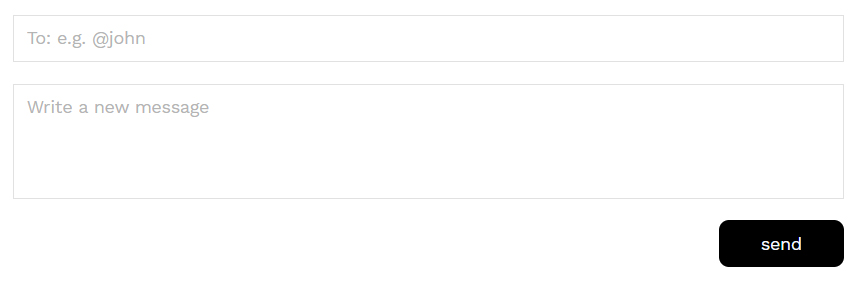
Click on the top bar ME, the dropdown menu will appear, then click the INBOX sub-option. Click on New Message. Remember to check the exact name of the person you want to send the message to before you click on New Message.
Select the co-learner you would like to send the message to (start typing @ and the name of the student. A list of suggested accounts will appear and you can pick the right one). The fill out your message and click the send button.
How do I exit from the School?
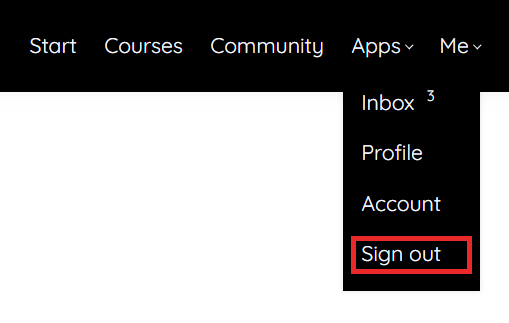
If you want to log out from the online school simply click the Sign out option that can be found at the top-right menu.
payment information
What forms of payment do you accept?
All major credit and debit cards are accepted. We use STRIPE which means your payment details will be more than secure. No off line payments can be accepted unless there is a valid reason (see below, next question).
What Other Payment Options Do You Have?
In the event that you cannot perform a credit or debit card payment
How do I know that you have received my order?
Once your payment has been successfully processed, your course will be immediately accessible to you. If the course hasn't unlocked despite you payment going through, then please contact the site's owner and you will be given access to the course asap.
Where is the invoice for the course I just bought?
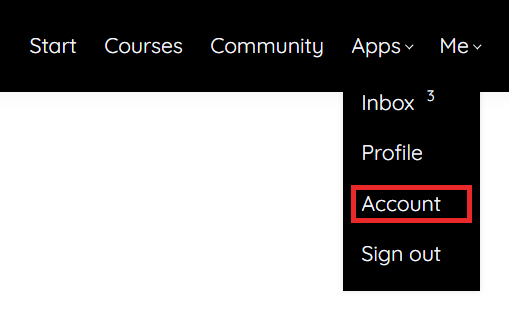
You can find fully detailed invoices for all the courses you have purchased in the Account page, which can be found by hovering your mouse over the Me top bar option. If you made a purchase outside the school then you can contact the school owner / instructor for an invoice.
Purchasing & accessing your course
I want to get access to the free e-course. Do I just sign up to the school?
No, you do not have access to the free course by just creating an account. You have to go to the specific section that prompts you to sign up for the free course and coach training e-book.
This will give you the option to subscribe as well. Tick the checkbox - you can always manage your subscription preferences later on.
Once you sign up,
Once you sign up,
I was given a discount coupon to this school. How can I use it to buy a course with discount?
Buying a course with a discount coupon is not much different from our normal checkout process.
1) Go to the course page for which you have a coupon and click Enroll.
1) Go to the course page for which you have a coupon and click Enroll.
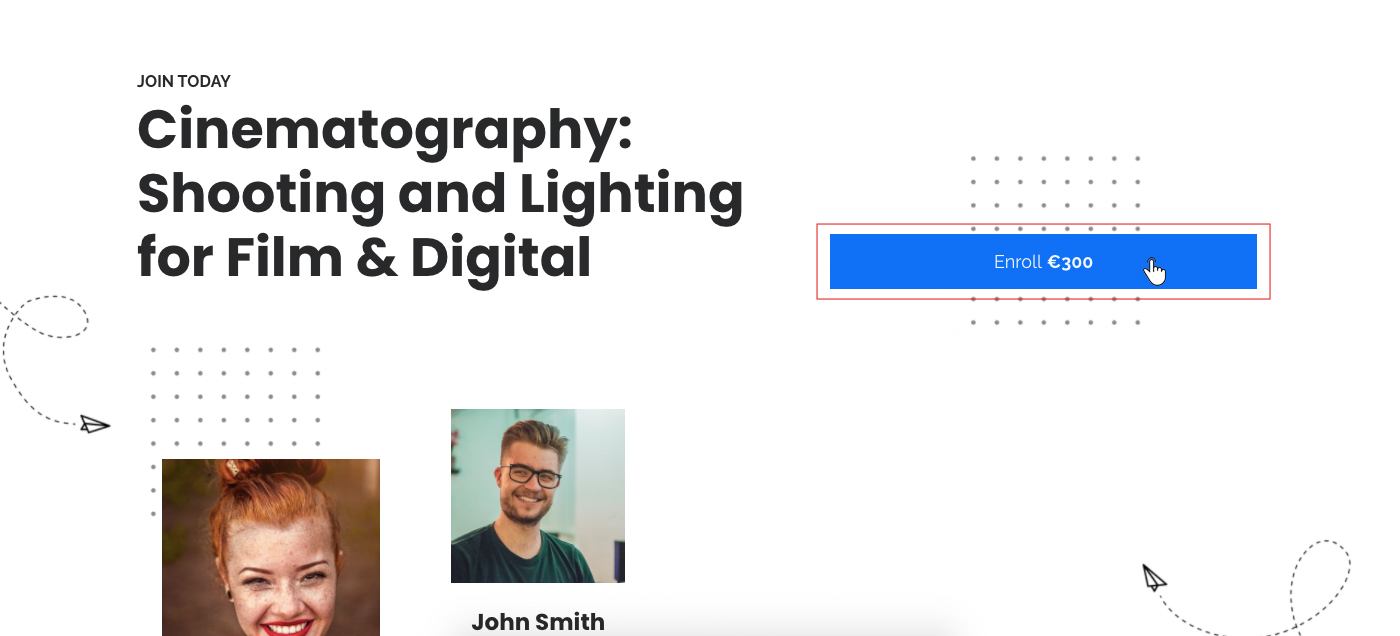
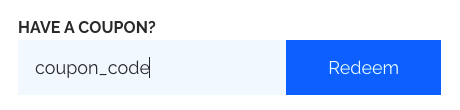
2) You will be automatically redirect to Enroll in Course page. Type your coupon code in the textbox (in our example: coupon_code) and click Redeem.
3) the discount will be automatically calculated in the final price.
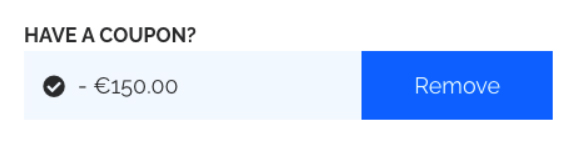
4) You can now finalize the purchase process by clicking on the Buy button
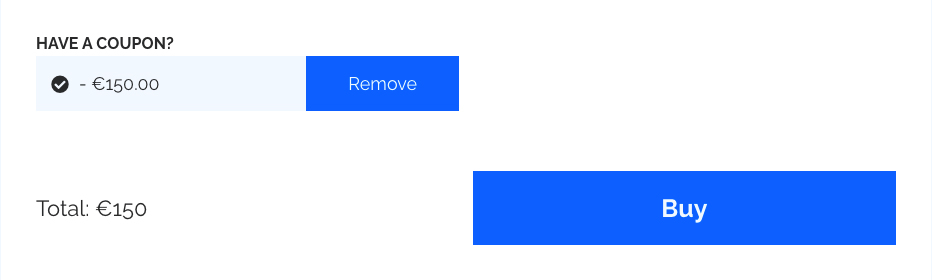
How soon will I get access to my courses?
You will get access to your course(s) immediately after your make an online purchase (or when you have been manually enrolled by the instructor).
I purchased a course. How do I access it?
If you have already purchased a course you only need to visit the course's page and you will have full access to the content. Alternately, you can access the starting page of your school. The courses you have purchased will appear at the top of the course list. By clicking on a course card you will be directed to its contents.
Do I have to be online at a specific time to take a course?
No, you can take your course whenever you want. The course remains online around the clock. All you need is internet access and a fairly modern browser.
Can I take more than one course at a time?
Yes. You can take as many courses as you wish.
How do I access a course that I have completed?
You can access your courses anytime simply by logging in to the platform and visiting the course page. The courses you have purchased appear always first in the school’s course catalog.
How do I become a VIP member?
You can easily become a VIP member if
- You purchase all at once or over time three CoachGo $90 courses. You may purchase them with a discount or as part of any other offer or full price. As long as you have purchased three of our courses.
- You engage actively in the community by offering your insights, experience, views, and in essence becoming sort of a mentor for the rest of the community. The more you participate, the more points you get.
- The quality of you engagement matters. You get extra points for the originality, uniqueness and overall quality of your contribution to the community.
What are the benefits if I become a VIP member?
If you become a VIP member:
- You automatically get a 50% discount for any other course you may buy. If a course is on offer you get a 50% on top of the existing offer!
- You can apply to have a 30-minute 1-0-1 coaching session with Pamela every 6 months for one year from the moment you become a VIP member. Do you want more 1-0-1 coaching sessions? Simply purchase two more courses and you add two more 30-minute sessions for the following year.
- You may apply to contribute to the CoachGo blog on one of the topics supported by CoachGo, and which are relevant to the online courses.
- You can apply to become a mentor to the other members of the CoachGo community on topics you will provide evidence that you are an expert in.
Cancellations & refunds
How do I cancel a course?
For cancelling a course enrollment or asking for a refund please contact the School's owner (contact info can be found under the Account option on the top right menu)
course Navigation
How do I navigate inside a course?
Once you access a course, you will find a full table of contents at the left-hand side of the screen. You can browse through the sections and access the learning unit you would like to study. In most cases you would be better off when simply following the linear course order proposed by the course instructor. In the future you can always come back re-visit any learning unit you wish. Note that learning units that you have visited / completed are marked with a discrete check mark.
product information
Can I sample a course or lesson before deciding to purchase a course?
In many cases courses have one or more free sections that you can sample before you decide to purchase a course.
Are there prerequisites for the courses or lessons?
In most cases there are no prerequisites and you can take any course you want independently. For certain courses that do have prerequisites, this will be clearly written in the course description. And you may also want to discuss this with the course instructor.
How long does it take to complete a course?
It depends on the course. Each course has different time requirements. Read the course's description or contact your instructor for more specific details.
Does access to my paid courses expire?
In most cases, once you have enrolled to a course you will have access for lifetime. Courses with limited time access say so clearly in the course description.
How do I download course content?
If you are enrolled to a course (paid or not) you will have access to the whole course contents. In most cases the contents are not available for download and you will need to be connected to the internet and access the contents through your browser. Certain material, like PDF files or PPT presentations may be available for download.
Where is My Download Information?
If the course you want to enroll is free just click on Start for free button and you will have full access to the content. If the course you want to enroll is not free click on Enroll button (the course's prices should be visible, right next to enroll) and follow the checkout process. When you finish the course contents will unlock for you.
Can the E-Books Be Read on XXX (insert favourite E-Reader here)?
We’re yet to test all E-Books on every application and E-Reader but they are PDF documents that should be able to be read on many of them. We have optimized it for Adobe Reader (free) and therefore recommend that as the best application to use
Tech issues
What Browsers are Supported?
We support the latest versions of all well-known browsers. For optimal studying experience we recommend using Mozilla Firefox or Google Chrome.
Can I take the courses on my iPad or tablet?
Of course you can. This online school is fully responsive in all kinds of electronic devices.
Can I take the courses on my iPhone or smartphone?
Of course you can. This online school is fully responsive in all kinds of mobile devices. For optimal experience you can use the mobile version of Google Chrome, if your device supports it.
Is Internet Access Required?
Internet access is required since all of the course contents are online. We also recommend using a broadband internet connection, especially when you have to go through video content.
Recommended Technology
Just a broadband Internet connection and the latest version of your favorite browser.
Troubleshoot issues with Video
Our video player automatically tries to adjust the video quality to your internet speed, giving you the highest quality possible but in certain cases, for very slow connections, this might not be possible. If you’re experiencing excessive buffering during playback, it’s probably because your Internet connection cannot support continuous playback of the video. In this case try to reset your connection/internet router or, if possible, try accessing your online courses using a better internet connection.
You may also want to try one of the following: 1. Close extra browser tabs or other applications that may be using up your bandwidth. 2. Make sure you're using the latest version of your browser.
Our vision is to make an impact on all societies through our affordable, competitive and high quality training while focusing on social responsibility, inclusivity and real value. We want to offer you the most comprehensive, rewarding and challenging learning experience for skills enhancement and personal development.
Our company does not and shall not discriminate on the basis of race, colour, religion (creed), gender, gender expression, age, national origin (ancestry), disability, marital status, sexual orientation, or military status, in any of its activities or operations. These activities include, but are not limited to, hiring and firing of staff, selection of volunteers and vendors, and provision of services. We are committed to providing an inclusive and welcoming environment for all members of our staff, clients, volunteers, subcontractors, vendors, and clients.
Our company does not and shall not discriminate on the basis of race, colour, religion (creed), gender, gender expression, age, national origin (ancestry), disability, marital status, sexual orientation, or military status, in any of its activities or operations. These activities include, but are not limited to, hiring and firing of staff, selection of volunteers and vendors, and provision of services. We are committed to providing an inclusive and welcoming environment for all members of our staff, clients, volunteers, subcontractors, vendors, and clients.

Copyright © 2016 - 2026
Created with